
Introduction
In today’s digital age, students have access to an incredible array of AI tools that can supercharge learning, productivity, and creativity. Whether you’re writing essays, summarizing lectures, generating ideas, or designing presentations, the right AI tools can save hours. Here are 10 of the best AI tools—some free, some paid, and many in between—that every student should know about in 2025.
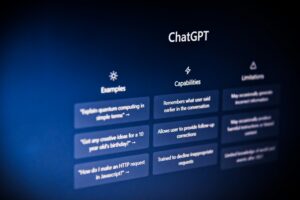
1. ChatGPT / GPT-4
What it does: ChatGPT is a conversational AI by OpenAI that can explain concepts, help with brainstorming, write draft essays, debug code, and more.
Free / Paid: Free version (with limitations) + paid “ChatGPT Plus / Pro” for access to GPT-4 models.
Why useful: It’s versatile — you can ask it to rephrase, simplify, generate outlines, or simulate exam questions.
Author tip: Always fact-check, because sometimes ChatGPT may hallucinate (i.e. make up incorrect stuff).
2. Google Gemini
What it does: Google’s AI model integrated with search and other Google products. You can ask it for explanations, summaries, research help, etc.
Free / Paid: There’s a free tier; advanced features may require subscription or Google One plan.
Why useful: Because it’s connected to Google’s ecosystem, it can fetch more recent data and integrate with Google Docs, Drive, etc.

3. Grammarly
What it does: Grammar, spelling, style checking, tone suggestions, clarity improvements, plagiarism check.
Free / Paid: Free basic version + Grammarly Premium for advanced writing feedback.
Why useful: Great for polishing essays, emails, assignments — catching errors you might miss.
4. QuillBot
What it does: Paraphrasing, summarizing tool, grammar improvement, rewriting sentences in different styles.
Free / Paid: Free version with word limits; paid version gives more capacity and modes.
Why useful: Especially good when you want to reword paragraphs so they’re clearer or more original (but don’t overdo so it feels unnatural).
5. Otter.ai
What it does: Transcription of recorded lectures / meetings into text, generating summaries, identifying keywords.
Free / Paid: Free plan with limited minutes; paid plan for more transcription capacity.
Why useful: Helps you capture lecture content without needing to frantically write everything down.
6. Wolfram Alpha
What it does: Computational search engine. It solves math, physics, chemistry problems, gives step-by-step solutions, data visualizations.
Free / Paid: Basic (free) access; Pro version unlocks advanced features.
Why useful: When you have technical / numerical problems, Wolfram helps you check your work or understand the steps.

7. Notion AI
What it does: Enhances the Notion workspace: AI-powered summaries, content generation, planning, note automation.
Free / Paid: Notion free + paid tiers; AI features sometimes limited in the free plan.
Why useful: It blends note-taking, task management, and AI assistance all in one place.
8. Canva (Magic Write & design AI)
What it does: Graphic design tool with AI writing support (Magic Write), image generation, templates, layouts.
Free / Paid: Canva has strong free tier; Canva Pro / Enterprise unlocks premium assets & features.
Why useful: Perfect for creating posters, social media visuals, slides, infographics — with AI helping in content and design.

9. Mendeley / Zotero (with AI features / reference assistants)
What it does: Reference / citation management, organizing research papers, generating bibliographies. Some newer versions have AI suggestions for related works, citation cleanup, etc.
Free / Paid: Mostly free; extra storage or premium tools may cost.
Why useful: For research projects, theses, essays — keeps your sources in order and automates citations.
10. QuizGecko (or similar AI quiz maker / study tool)
What it does: Automatically generate quizzes, flashcards, assessments from your studying material.
Free / Paid: Has a free tier; paid gives more quiz volume, features, customization.
Why useful: Helps you self-test, reinforce learning, convert notes into active recall exercises.
Conclusion & Best Practices
Use free tiers first and see whether they’re enough; upgrade only when necessary.
Combine tools smartly: e.g. use ChatGPT for ideas, Grammarly for polishing, Otter for notes.
Always review and verify AI outputs. Don’t blindly copy — treat AI as assistant, not replacement.
Cite sources when needed, especially when AI gives factual / data-driven content.
For images, use copyright-free / CC0 / public domain / free stock images (Unsplash, Pexels, Pixabay etc.).
Make your article engaging: add examples, screenshots, tools comparisons, pros & cons.